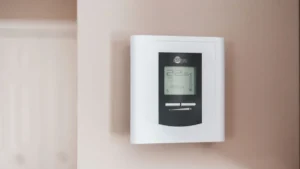
To set a Honeywell thermostat, choose the system mode (Heat, Cool, Auto or Off) with the System or Mode button, then use the up and down (or + and –) buttons to set the temperature. For heat, set the temperature above the room temperature; for cooling, set it below. Then pick a fan setting (Auto is normal) and decide whether to follow a schedule or hold one temperature. The exact button names depend on your model, as shown below.
Quick facts
| Task | Set the mode, temperature, fan and holds on a Honeywell Home thermostat |
|---|---|
| Appliance | Honeywell Home thermostats, including FocusPRO 6000, T4 Pro, T6 Pro, RTH2300, RTH221, RTH8500 and T9 |
| Time needed | 2 to 5 minutes for mode and temperature; 10 to 20 minutes to set a schedule |
| Difficulty | Easy |
| Tools needed | None |
| Most likely fix | If the system does not respond, the mode is wrong or the setpoint is on the wrong side of the room temperature |
This guide covers how to set a Honeywell thermostat for everyday use, based on the official Honeywell Home (Resideo) user manuals. If you want to build a full weekly program, see our step-by-step guide on how to program a Honeywell thermostat. If the screen is frozen or the settings are a mess, our Honeywell thermostat reset guide can help.
What do the Honeywell thermostat modes mean?
The system mode tells the thermostat which equipment it may run. Honeywell’s manuals use the same basic modes across most models, though some only appear if your system supports them.
| Mode | What it does | Notes |
|---|---|---|
| Heat | Controls only the heating system | Set the temperature higher than the room |
| Cool | Controls only the cooling system | Set the temperature lower than the room |
| Auto | Switches between heating and cooling as needed | Only appears if the installer turned on automatic changeover |
| Em Heat | Runs emergency or auxiliary heat; the compressor is locked out | Heat pumps with backup heat only |
| Off | Heating and cooling are off | The fan can still run if Fan is set to On |
Fan settings are separate. Auto runs the fan only when heating or cooling is on, On runs it all the time, and Circ (on the T6 Pro and some newer models) runs it randomly about 33% of the time.
How do you set a Honeywell thermostat to heat? (step by step)
These steps work on most Honeywell models. Cooling works the same way with Cool mode and a lower setpoint.
Total time: 3 minutes
Wake the screen
Press any button or touch the screen. On the T6 Pro, Honeywell says the screen stays lit for 45 seconds on C-wire power and 8 seconds on batteries only.
Choose Heat mode
Press System (FocusPRO, RTH8500) or Mode (T4 Pro, T6 Pro) until Heat shows, or slide the System switch to Heat on the RTH2300 and RTH221. On the T4 and T6 Pro, stop on the mode you want and it activates by itself.
Set the temperature
Press the up arrow or + to raise the setpoint above the current room temperature. Honeywell’s heating range on these models is 40°F to 90°F.
Choose the fan setting
Press Fan (or slide the fan switch) to Auto, so the fan runs only while the heat is on. Use On if you want constant air circulation.
Wait for the system to start
Give it up to 5 minutes. Honeywell’s troubleshooting tables say to wait 5 minutes for the system to respond, and heat pumps may show a flashing “Heat On” during the protection delay.
On the RTH2300 and RTH221, the screen normally shows the room temperature, not your setting. Press the up or down button once to see the setpoint; Honeywell says it appears for five seconds.
How do you set a Honeywell thermostat to cool?
Select Cool mode, then set the temperature lower than the current room temperature. The cooling range on FocusPRO, T4 Pro and T6 Pro models is 50°F to 99°F.
When the air conditioner has just shut off, the thermostat makes the compressor wait before it restarts. During that time “Cool On” flashes (or “Wait” shows on some T-series models). This is normal; our guide to the Honeywell thermostat blinking Cool On explains how long it lasts.
Honeywell also warns not to run the cooling system when the outdoor temperature is below 50°F (10°C), to avoid compressor damage.
How do you use Auto mode on a Honeywell thermostat?
Auto mode lets the thermostat pick heating or cooling on its own, so you set both a heat and a cool temperature. It is meant for seasons when you might need both on the same day.
- FocusPRO 6000: Press System until the screen shows Auto. Heat and cool settings must be at least 3 degrees apart, and the thermostat adjusts them automatically to keep that gap. Honeywell says this 3-degree separation is fixed.
- T4 Pro and T6 Pro: Auto appears only when System Changeover is set to Automatic in installer setup. The installer can also set a changeover differential of 0 to 5°F.
- T9: In Auto, press “Heat to” or “Cool to” first, then use the arrows to change that setpoint.
If Auto does not appear on your thermostat, the FocusPRO guide notes it may not show depending on how the thermostat was installed. Our Honeywell T6 setup guide shows where the changeover setting lives on the T6.
How do you change the temperature without changing the schedule?
Press up or down for a temporary change, or use Hold to keep one temperature until you cancel it. Your saved schedule stays in memory either way.
| Model | Temporary change | Permanent hold | Back to schedule |
|---|---|---|---|
| FocusPRO 6000 | Press up or down; lasts until the next period | Press HOLD | Press RUN SCHEDULE |
| RTH2300 / RTH221 | Press up or down; “Temporary” shows | Press HOLD | Press RUN |
| T4 Pro / T6 Pro | Press + or –; “Temporary Hold” | While the setpoint flashes, press Hold (Mode) | Press + or –, then Cancel |
| RTH8500 | Press up or down; lasts until the time you set | Press HOLD | Press CANCEL (or SCHED) |
| T9 | Press up or down, then touch “Hold until” | Choose “Permanently” | Choose “Remove hold” |
The RTH8500 also has a vacation hold: set the temperature and the time you want the schedule to resume, press HOLD twice, then choose the number of days.
ENERGY STAR suggests using hold at a steady energy-saving temperature when you go away for the weekend or on vacation, and avoiding frequent overrides of your program.
How do you set the time and day on a Honeywell thermostat?
Set the clock first, because the schedule runs on it. The RTH2300 manual says that if the clock flashes, the thermostat follows Monday’s Wake settings until you set the time and day.
- FocusPRO 6000: Press SET CLOCK/DAY/SCHEDULE, which the user guide says is used to change the clock, day and schedule. Use the arrows to set the time, the Set Day option for the day, then press Done.
- RTH2300 / RTH221: Press SET, set the time with the arrows, press SET again and choose the day, then press RUN.
- T6 Pro: Press Menu, go to TIME and press Select, choose 12 or 24 hour, set the hour and minutes. Then go to DATE and set the year, month and day.
- RTH8500: Press CLOCK, adjust the time, then press DONE. The manual says its clock updates itself for daylight saving time.
- T9: Menu > Preferences > Date and Time.
Whatever model you have, check the time and day after a long power outage or a battery change.
What temperatures should you set on a Honeywell thermostat?
Pick what is comfortable, then save energy with setbacks while you are away or asleep. Honeywell’s built-in energy-saving schedules use 70°F for heat and 75°F to 78°F for cooling when you are home, with 62°F heat and 78°F to 85°F cooling while you are away or asleep, depending on the model.
ENERGY STAR’s starting point is a heat setting of 70°F or less while you are home, with a setback of at least 8°F while you are away and overnight. For cooling, it suggests 78°F or higher at home, raised at least 7°F while you are away and at least 4°F overnight.
⚠️ Safety first
- Changing settings from the thermostat face needs no tools and is safe.
- If you take the thermostat off the wall, do not pull wires from the wallplate. Turn off power to the HVAC system at the breaker or furnace switch before touching any wires.
- Disconnect power at the breaker before removing panels on the furnace or air handler.
- Do not run cooling when it is below 50°F (10°C) outside, as Honeywell warns this can damage the compressor.
- If you have a gas furnace and you smell gas, leave the home and call your gas utility or 911 from outside. Do not operate switches, including the thermostat.
When should you call a technician?
Call an HVAC technician when the thermostat is set correctly but the equipment will not respond. Honeywell’s troubleshooting steps for no heat or no cooling are to check the mode and setpoint, the breaker, the power switch at the system, the furnace door, and to wait 5 minutes. If all of that checks out, the problem is likely in the equipment. Clear signs include:
- “Heat On” or “Cool On” is solid, but no warm or cool air comes out after 5 to 10 minutes.
- The furnace or air handler breaker trips again after you reset it.
- Em Heat is the only way your heat pump keeps the house warm in mild weather.
- The screen is blank even with fresh batteries; see our Honeywell thermostat battery guide first.
- The thermostat heats when set to cool, or cools when set to heat, which can point to wiring or setup errors; see our Honeywell thermostat wiring guide.
How can you avoid Honeywell thermostat setting problems?
These habits keep your settings working the way you expect.
- Check that the mode matches the season before you adjust the temperature.
- Clear any permanent hold when you return from a trip.
- Check the time and day after power outages and battery changes.
- Change thermostat batteries once a year, as Honeywell recommends.
- Change your air filter regularly; ENERGY STAR says to check it monthly and change it at least every three months.
Frequently asked questions
How do I set my Honeywell thermostat to heat?
Press System or Mode until Heat shows (or slide the System switch to Heat on basic models). Then press the up arrow or + until the setpoint is above the room temperature, and wait up to 5 minutes for the heat to start.
How do I set my Honeywell thermostat to stay at one temperature?
Set the temperature you want, then press HOLD on FocusPRO, RTH2300 and RTH8500 models. On the T6 Pro, press Hold (the Mode button) while the setpoint is flashing. It stays there until you cancel the hold.
Why won’t my Honeywell thermostat go to Auto?
Auto mode only appears if automatic changeover was turned on during installer setup. On the T4 Pro and T6 Pro, this is the System Changeover setting. The FocusPRO guide also notes Auto may not appear depending on how it was installed.
Should the fan be on Auto or On?
Auto runs the fan only while heating or cooling is running, which is how most homes are set. On keeps air moving all the time. On the T6 Pro, Circ is a middle option that runs the fan randomly about 33% of the time.
What does Em Heat mean on a Honeywell thermostat?
Em Heat appears on heat pumps with backup heat. Honeywell says it runs the emergency and auxiliary heat and locks out the compressor. Leave it off unless the heat pump cannot keep the house warm, and call a technician if you need it often. For how backup heat works on another brand, see our guide to ecobee aux heat.
Why is my Honeywell thermostat not changing temperature?
Check that your setting is within the allowed range: 40°F to 90°F for heat and 50°F to 99°F for cool on FocusPRO, T4 Pro and T6 Pro models. Also check that the keypad is not locked and that a schedule period has not just changed the setpoint.
Related error codes
- How to reset a Honeywell thermostat (every model)
- How to program a Honeywell thermostat step by step
- Honeywell thermostat blinking “Cool On”: what it means and how to fix it
- Honeywell T6 thermostat: setup, settings and troubleshooting
- Honeywell thermostat wiring: terminal and color code guide
- How to change a Honeywell thermostat battery
- Ecobee aux heat: what it means and when it turns on
- All thermostat guides
Sources
- Resideo: FocusPRO 6000 Series User Guide (69-1921EFS)
- Resideo: T6 Pro Programmable Thermostat User Manual (33-00182EFS)
- Resideo: T4 Pro Thermostat Installation Guide (33-00187EFS)
- Resideo: RTH2300/RTH221 Series Owner’s Manual (33-00100EF)
- Resideo: RTH8500 Touchscreen Programmable Thermostat Owner’s Manual (33-00179ES)
- Resideo: T9 Smart Thermostat with Smart Room Sensor User Guide (33-00478)
- ENERGY STAR: A Guide to Energy-Efficient Heating and Cooling