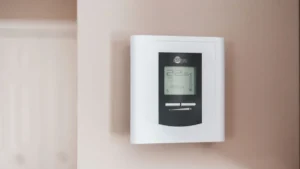
A Honeywell thermostat blinking “Cool On” almost always means the built-in compressor protection delay is running, and your air conditioner will start on its own once it ends. Honeywell says this delay can last up to five minutes and protects the compressor from restarting too soon. If you see a Honeywell thermostat blinking Cool On, wait five minutes without changing any settings. If it is still blinking after that, check the mode, power and wiring, or call a pro to test the voltage.
Quick facts
| Code | "Cool On" flashing (also “Heat On” flashing on heat pumps, a flashing snowflake, “Wait” or “Waiting for Equipment” on some models) |
|---|---|
| Appliance | Honeywell Home thermostats, including FocusPRO, T4 Pro, T6 Pro and many RTH and Wi-Fi models |
| What it means | The thermostat is calling for cooling, but a minimum-off timer is holding the compressor off so it cannot short cycle |
| Time needed | 5 minutes to wait; 15 to 30 minutes for the checks below |
| Difficulty | Easy |
| Most likely cause | Normal compressor protection after the AC recently shut off or the thermostat was just adjusted |
A flashing Cool On on Honeywell thermostats (sold under the Honeywell Home brand, now made by Resideo) is a status message, not a fault code. Below you will find what it means, how long it should last, and what to check when it does not stop. For every other reset and setup topic, see our guide to resetting a Honeywell thermostat.
What does a Honeywell thermostat blinking Cool On mean?
It means the thermostat wants to cool, but it is making the compressor wait before it restarts. Honeywell’s FocusPRO 6000 user guide explains that damage can occur if a compressor restarts too soon after it shuts down. So the thermostat forces a wait of a few minutes, flashes “Cool On” during that wait, and stops flashing when the compressor turns on.
Honeywell’s support pages call this a minimum-off timer. It starts when the compressor turns off, and Honeywell says the delay can be up to five minutes under normal conditions. A solid (not blinking) “Cool On” means the thermostat is actively calling for cooling.
Different models show the same delay in different ways. Honeywell says each model has its own message: some flash “Cool On” or a snowflake, and others, like the T4 Pro and T6 Pro, show “Wait” or “Waiting for Equipment.” On heat pumps, the same delay can make “Heat On” flash in heating mode.
What causes a Honeywell thermostat to blink Cool On?
Most of the time the cause is the normal protection timer. When the blinking lasts longer than five minutes, Honeywell points to a power or wiring problem, and its no-cool guide lists a few more things to check.
| Cause | How to check | Fix | DIY difficulty |
|---|---|---|---|
| Compressor protection delay (normal) | The AC shut off or you changed the setting within the last few minutes | Wait 5 minutes without touching the settings | Easy |
| You keep changing the setting | You switched modes or setpoints several times while waiting | Set Cool and your temperature once, then leave it alone | Easy |
| Utility demand-response program | You signed up for a program like a utility “Saver’s Switch” | Honeywell says these can cycle the compressor off for longer periods during peak hours; wait or contact your utility | Easy |
| Low voltage to the thermostat | Blinking lasts well past 5 minutes | Honeywell says a contractor should verify the voltage is in an acceptable range | Pro only |
| Loose or shorted wires | Y and G wires not firmly in their terminals, or damaged insulation | Power off, reseat the wires; call a pro for shorted wires | Moderate |
| Wrong setup after a new install | R and Rc not joined, or wrong system type or stages | Check the jumper or slider and the installer setup | Moderate |
| Outdoor AC unit problem | Thermostat stops blinking but the outdoor unit never runs | Have an HVAC technician check the condenser | Pro only |
How do you fix a Honeywell thermostat blinking Cool On? (step by step)
Start with waiting, because that fixes it most of the time. Only move on if the message is still blinking after five minutes.
Total time: 30 minutes
Wait five minutes without changing anything
Leave the thermostat alone for five full minutes. The FocusPRO 6000, T4 Pro and T6 Pro guides all say a flashing “Cool On” or “Heat On” means compressor protection is engaged, and to wait 5 minutes for the system to restart safely.
Confirm the mode and setpoint
Make sure the system mode is Cool (or Auto) and the set temperature is lower than the inside temperature. Honeywell lists this as the first check when cooling does not respond.
Check power to the indoor equipment
Make sure the breaker for the furnace or air handler is on, the power switch near the unit is on, and the furnace door is closed securely. Honeywell’s manuals list all three, because many furnaces cut power when the door is open.
Check the outdoor unit breaker
Look at the breaker for the outdoor air conditioner or heat pump in your main panel, and the disconnect box next to the unit. If a breaker has tripped, reset it once; if it trips again, stop and call a technician.
Check the Y and G wires
Turn off power to the HVAC system at the breaker or furnace switch, then pull the thermostat off its wallplate. Honeywell says to confirm the Y and G wires are firmly connected to the correct terminals; our Honeywell thermostat wiring guide explains each terminal.
Restart the thermostat
Snap the thermostat back on, restore power, set Cool and a lower temperature, and wait another five minutes. Expect the delay again right after power returns.
Call a pro if it never stops blinking
If the message keeps blinking well past five minutes, Honeywell says there may be a voltage issue and that a professional contractor should check the voltage and look for shorted wires.
Do not keep pressing buttons to “wake up” the AC. Honeywell’s guides say the minimum-off timer starts each time the compressor turns off, so switching to Off and back to Cool just starts the wait over. Set it once and give it five minutes.
Is it different on heat pumps or newer smart models?
Yes, a little. The meaning is the same, but the wording and some extra lockouts differ.
Heat pumps
- The FocusPRO 6000 guide says the display flashes “Heat On” during the delay on a heat pump in heating mode, because the compressor also heats.
- On the T4 Pro and T6 Pro, Honeywell’s troubleshooting lists cooling or aux heat running at the wrong time when a wire is attached to W on a heat pump. On those models, backup heat must be wired to AUX or E, not W.
T4 Pro, T6 Pro and T6 Pro Smart
- Their installation guides say the display shows “Wait” if there is a call during the minimum-off timer, while the T6 Pro user manual describes a flashing “Cool On” (or “Heat On” on a heat pump). Either one is the same protection delay.
- The installer can set the compressor protection time in installer setup (the T4 Pro guide lists Off or 1 to 5 minutes). Leave it on unless your HVAC contractor says otherwise, since it exists to protect the compressor.
Our Honeywell T6 thermostat setup and troubleshooting guide covers the T6 screens in more detail.
How do you reset a Honeywell thermostat after a blinking Cool On?
You normally do not need to reset anything. The blinking stops on its own when the protection timer ends and the compressor starts. A reset will not skip the delay, and you should expect to see the delay again after the thermostat powers back up.
If the thermostat is frozen or acting oddly beyond the blinking, try a simple restart:
- Set the system mode to Off.
- Pull the thermostat off the wallplate and remove the batteries, or turn off the HVAC power if it has no batteries.
- Wait about one minute, then restore power and snap it back on.
- Set Cool and your temperature, then wait five minutes.
For model-specific restart, schedule and factory reset steps, use our Honeywell thermostat reset guide for every model.
⚠️ Safety first
- Turn off power to your heating and cooling system at the breaker or furnace switch before you remove the wallplate or touch any wires.
- Disconnect power at the breaker before removing panels on the furnace, air handler or outdoor unit.
- If a breaker trips again right after you reset it, leave it off and call an HVAC technician.
- Honeywell warns not to run the cooling system when the outdoor temperature is below 50°F (10°C), to prevent possible compressor damage.
- If you have a gas furnace and you smell gas, leave the home and call your gas utility or 911 from outside. Do not operate switches.
When should you call a technician?
Call an HVAC technician when the blinking does not end, or when the thermostat stops blinking but no cold air ever arrives. Honeywell’s own advice for a delay longer than five minutes is to have a contractor check the voltage and look for shorted wires. Clear signs include:
- “Cool On” keeps blinking for 10 minutes or more with the right mode and setpoint.
- “Cool On” goes solid, the indoor fan runs, but the outdoor unit never starts.
- The outdoor unit hums or clicks but the fan or compressor does not start.
- A breaker for the furnace, air handler or outdoor unit trips again after a reset.
- You see burned, melted or corroded wires at the thermostat or furnace.
Honeywell Home technical support (1-800-633-3991) can also help confirm that the thermostat itself is set up correctly.
How can you prevent the blinking Cool On from coming back?
The short delay is normal and will always appear now and then. These habits keep it short and help you spot real problems.
- Set your mode and temperature once and let the system respond, instead of changing it several times.
- Use a schedule instead of manual swings; our guide on how to set a Honeywell thermostat for heat, cool and schedule shows how.
- Check your air filter monthly in summer and winter and change it when dirty, or at least every three months, as ENERGY STAR advises.
- Keep the furnace door closed and the power switch on.
- Have your cooling system serviced before the hot season so wiring and voltage problems are caught early.
Frequently asked questions
How long does Cool On blink on a Honeywell thermostat?
Honeywell says the protection delay can be up to five minutes under normal conditions. When it ends, the message stops flashing and the compressor turns on. If it blinks much longer, there may be a voltage or wiring problem.
Why does my Honeywell thermostat say Cool On but no cold air?
If “Cool On” is blinking, the compressor is still in its delay, so wait five minutes. If it is solid and still no cold air comes out, check the breakers for the indoor and outdoor units and the furnace door, then call an HVAC technician.
Can I bypass the Honeywell compressor delay?
On some models, like the T4 Pro and T6 Pro, an installer can change the compressor protection time in installer setup. Honeywell built the delay in to stop the compressor from restarting too soon, so leave it on unless your HVAC contractor advises otherwise.
Why is Heat On blinking on my Honeywell thermostat?
On a heat pump, the compressor runs for both heating and cooling, so the same protection delay makes “Heat On” flash in heating mode. Wait five minutes, just as you would for “Cool On.”
Does a blinking Cool On mean my thermostat batteries are low?
No. Low batteries show a separate warning, such as “Replace Battery” on FocusPRO models. See our guide to changing a Honeywell thermostat battery for the battery warning on your model.
What does Wait mean on a Honeywell thermostat?
“Wait” is the same compressor protection timer shown on models like the T4 Pro and T6 Pro. Honeywell’s guides say it appears when there is a call for cooling or heat pump heating during the minimum-off time.
Related error codes
- How to reset a Honeywell thermostat (every model)
- Honeywell thermostat wiring: terminal and color code guide
- Honeywell T6 thermostat: setup, settings and troubleshooting
- How to change a Honeywell thermostat battery
- How to set a Honeywell thermostat (heat, cool and schedule)
- How to program a Honeywell thermostat step by step
- All thermostat guides
Sources
- Honeywell Home: My Thermostat Display Shows “Wait” or “Waiting for Equipment” or Has a Flashing “Cool On”
- Honeywell Home: My Thermostat Is Set to Cool but My Cooling System Isn’t Running. Why?
- Honeywell Home: Thermostat Blinking Warnings: What Do They Mean?
- Resideo: FocusPRO 6000 Series User Guide (69-1921EFS)
- Resideo: T4 Pro Thermostat Installation Guide (33-00187EFS)
- Resideo: T6 Pro Smart Thermostat Installation Guide (33-00392)
- ENERGY STAR: A Guide to Energy-Efficient Heating and Cooling