The UE code on an LG washer means the load is unbalanced, so the washer cannot spin safely. The UE error code LG washer models display usually shows up when laundry bunches on one side of the drum, the load is too big or too small, or the washer is not level. In most cases you can clear it yourself in a few minutes: pause the washer, spread the laundry out evenly, check that the washer sits level, and restart the spin.
Quick facts
| Code | UE (also shown as uE on some models) |
|---|---|
| Appliance | LG front-load and top-load washers |
| What it means | Unbalanced load; the drum cannot spread the laundry evenly enough to spin |
| Time needed | 5 to 30 minutes |
| Difficulty | Easy |
| Most likely cause | Laundry bunched on one side, often a single bulky item or tangled sheets |
The UE code on LG washers (made by LG Electronics) is usually a loading or leveling problem, not a broken machine. Below are the causes in order of likelihood and the steps LG recommends. For other codes, see our complete list of LG washer error codes.
What does the LG washer UE code mean?
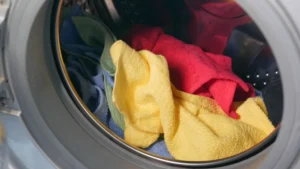
UE stands for “unbalanced error.” LG says it appears when laundry piles up on one side of the drum and stays there, even after the drum tries to move the load around. Because a lopsided drum shakes hard at high speed, the washer will not finish the spin until the imbalance is fixed.
The code is a warning, not a fault in itself, and LG’s top-load guide says it can usually be fixed without a technician. On many LG top-loaders you may first see a lowercase uE while the washer rebalances itself; after three failed attempts it changes to uppercase UE, which means it needs your help.
What causes the UE error code LG washer owners see?
Most UE codes come from the laundry or the washer’s position, not from a broken part. LG lists an uneven load, the wrong amount of laundry, unsuitable items and an unlevel washer as the main causes.
| Cause | How to check | Fix | DIY difficulty |
|---|---|---|---|
| Laundry bunched on one side or tangled | Open the door and look for a wad of clothes or a knotted sheet | Untangle and spread items evenly around the drum | Easy |
| Load too small or too large | Compare the load to about 2/3 of drum capacity | Add a few similar items, or remove some | Easy |
| A single bulky or unsuitable item | Look for one rug, mat, pillow or heavy blanket alone | Wash with other items, use a bedding or duvet cycle, or skip the item | Easy |
| Washer not level | Rock it corner to corner; check with a bubble level | Adjust the leveling feet and tighten the lock nuts | Easy |
| Shipping bolts or foam block left in (new installs) | Push the drum forward and back; look for bolts on the rear panel | Remove the bolts and any foam block, then cap the holes | Easy to moderate |
| Worn suspension parts | Code returns with balanced loads or an empty drum | Replace shock absorbers (front-load) or suspension rods (top-load) | Hard |
| Loose rotor nut, bad hall sensor or control board | All the above are ruled out | Have a technician diagnose it | Pro only |
How do you fix the LG washer UE code? (step by step)
Work through these steps in order and test the spin after each one. The early steps fix the most common causes.
Total time: 30 minutes
Pause the washer and wait for the door to unlock
Press Start/Pause and wait for the drum to stop and the door or lid to unlock. If the door stays locked with a door code, see our LG washer DE code guide.
Remove items that should not be machine washed
LG advises against machine washing rugs, bath mats, rubber-backed mats, electric blankets, curtains and stuffed toys. For pillows and cushions, LG suggests washing only the cover.
Untangle and spread the load evenly
Pull out the laundry, shake out knotted sheets or twisted items, and put everything back spread around the drum.
Fix the load size
LG says its washers perform best when the drum is about two-thirds full. For a small load or one heavy item, add a few similar items such as towels so the weight can spread out.
Pick a cycle that suits the load
Use the Duvet cycle (or your model’s bedding cycle) for blankets and the Sportswear cycle or a medium spin for padded jackets, as LG recommends. On top-loaders, LG notes that Perm Press/Casual uses more water and the fabric softener option adds a deep rinse; both help clothes spread out.
Level the washer
Rock the washer front to back and side to side. If it moves, adjust the leveling feet with the included wrench until all four feet touch the floor firmly, check with a bubble level on top, then tighten the lock nuts.
Check for shipping bolts on a new or recently moved washer
LG says leftover shipping bolts on the back of a front-loader cause severe vibration and noise. Open the door and push the drum forward and back; if it does not move, the bolts are still in, so remove them with the supplied wrench and fit the plastic caps.
Reset and run a test spin
Press Power to turn the washer off, then back on, and run a Rinse+Spin cycle with the drum empty. If UE returns with no laundry inside, the problem is mechanical and needs service.
LG names misused laundry nets as one cause of uneven loads. It recommends filling each net no more than two-thirds full and washing two or three nets together with other clothes, not one net alone.
Is it different on top-load vs front-load models?
Yes, a little. The meaning is the same, but the recovery behavior and the likely worn parts differ.
Top-load washers
- LG says the washer adds water, agitates, drains and tries to spin again, showing uE. It switches to UE after three failed tries.
- A lower spin speed helps small or bulky loads, according to LG.
- When leveling, LG warns not to extend the legs too far, because that can add vibration. LG suggests a test of about six pounds of laundry on Rinse & Spin after leveling.
- If the code keeps coming back, worn suspension rods are a known cause, according to Fred’s Appliance Academy.
Front-load washers and washer-dryer combos
- New installs need the rear shipping bolts removed. LG also notes a shipping foam block in the base can wedge under the tub; checking it takes two people to tilt the washer back.
- Repeated UE codes with normal loads can point to worn shock absorbers, according to Fred’s Appliance Academy.
How do you reset an LG washer after the UE code?
There is no special reset button for UE. The code clears once you fix the imbalance and the washer can spin normally. LG’s top-load error list simply says to redistribute the laundry and retry the spin.
- Press Power to turn the washer off.
- Fix the load or leveling problem.
- Press Power again, choose a spin or Rinse+Spin cycle, and press Start/Pause.
If the display still acts oddly, cut power for a couple of minutes, as Fred’s Appliance Academy suggests for a temporary electrical glitch. For other codes, use the reset steps in our LG washer error codes guide.
⚠️ Safety first
- Unplug the washer before checking the shipping bolts, the leveling feet or anything under the machine.
- Disconnect power at the breaker before removing panels.
- Turn off the water supply valves before moving the washer away from the wall.
- A washer full of wet laundry is very heavy. Use two people to tilt or move it, and never reach into a drum that is still turning.
When should you call a technician?
Call for service when the basic fixes do not work. LG says that if the error continues after you rebalance the load and level the washer, it needs repair service. Clear signs include:
- UE appears during a Rinse+Spin test with an empty drum.
- The code returns on every load, even small, evenly spread ones.
- You hear banging, grinding or knocking during spin, or the drum sags or wobbles when you push on it.
- You cannot remove the shipping bolts, or the drum still feels locked after removing them.
Suspension parts, the rotor nut, the hall sensor and the control board sit behind panels. Fred’s Appliance Academy says these checks suit people with appliance experience, so most homeowners should call a pro.
How can you prevent the UE code from coming back?
Good loading habits and a level washer prevent most repeat UE codes.
- Load the drum about two-thirds full and mix large and small items in the same load.
- Never wash one heavy item alone; add a few towels to balance it.
- Use your model’s duvet or bedding cycle for comforters and blankets, and keep nets no more than two-thirds full.
- Recheck the level and lock nuts whenever the washer starts to rock or after it has been moved.
- Keep the shipping bolts and reinstall them before any move, as LG recommends.
Frequently asked questions
Can I still use my LG washer with a UE code?
Yes, in most cases. UE is a load warning, not a breakdown, so fix the load or level the washer and restart the spin. If the code shows up on an empty drum, stop using it and book service.
Why does my LG washer say UE with a small load?
A small load has too little laundry to spread evenly. LG suggests adding a few similar items, such as towels, or lowering the spin speed for small or bulky loads.
What is the difference between uE and UE on an LG washer?
On LG top-loaders, lowercase uE means the washer is still trying to rebalance by itself. After three failed attempts it switches to uppercase UE, which means you need to redistribute the load by hand.
Will a new LG washer show UE if the shipping bolts are still in?
LG says leftover shipping bolts cause severe vibration and noise, and can cause permanent damage. If a brand-new front-loader shakes hard or will not spin, unplug it and check the back panel for the bolts before anything else.
Why does my LG washer keep showing UE with every load?
If the load and level are fine, a worn part is likely, such as front-load shock absorbers or top-load suspension rods. LG says a code that persists after rebalancing and leveling needs repair service.
Is the UE code the same on Samsung washers?
Samsung also uses UE for unbalanced loads, with similar basic fixes. See our guide to the Samsung washer UE code for Samsung-specific steps.
Related error codes
- LG washer error codes: full list with meanings and fixes
- LG washer OE code: washer won’t drain
- LG washer LE code: causes, reset steps and fixes
- LG washer DE and DE2 code: door errors
- LG washer IE code: what it means and how to fix it
- LG washer TCL code: tub clean reminder
- LG washer PE code: pressure sensor error
- Samsung washer UE code: unbalanced load